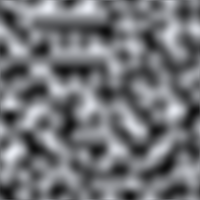
I am working on a project in Unity that needs to generate some simple 3D Mountains/Hills. Since my requirements are to create a "simple" shape, I don't seem to find an answer and I thought maybe I can get some help from here. Anyways, this is a normal output from perlin noise, although it's smooth, the output is still complicated with lots of hills/mountains. I am looking for something like this . I need to be sure that I won't have any height around the borders of the Output Image. I think you've got the idea. Have a Great Day!
Here is the code I am using right now from an online tutorial:
using UnityEngine;

public class PerlinNoise : MonoBehaviour
{
    private static int width = 256;
    private static int height = 128;
    public float scale = 20f;

    public float offsetX = 100f;
    public float offsetY = 100f;
    private int xcont = 0, ycont = 0;
    public float[,] array = new float[width,height];

    private void Start()
    {
        offsetX = Random.Range(0f, 99999f);
        offsetY = Random.Range(0f, 99999f);
    }
    void Update()
    {
        Renderer renderer = GetComponent<Renderer>();
        renderer.material.mainTexture = GenerateTexture();
    }


    Texture2D GenerateTexture()
    {
        Texture2D texture = new Texture2D(width, height);

        //GENERATE A PERLIN NOISE MAP FOR THE TEXTURE

        for(int x=0;x<width;x++)
        {
            for(int y=0;y<height;y++)
            {
                Color color = CalculateColor(x,y);
                texture.SetPixel(x, y, color);
            }
        }

        texture.Apply();

        return texture;
    }

    Color CalculateColor(int x, int y)
    {
        float xCoord = (float)x / width * scale + offsetX;
        float yCoord = (float)y / height * scale + offsetY;
        float sample = Mathf.PerlinNoise(xCoord,yCoord);
        if (xcont == width - 1)
        {
            xcont = 0;
            ycont++;
        }
        else xcont++;

        if (ycont == height - 1 ) ycont = 0;

        array[xcont,ycont] = sample;
        return new Color(sample, sample, sample);
    }
}


Aucun commentaire:
Enregistrer un commentaire